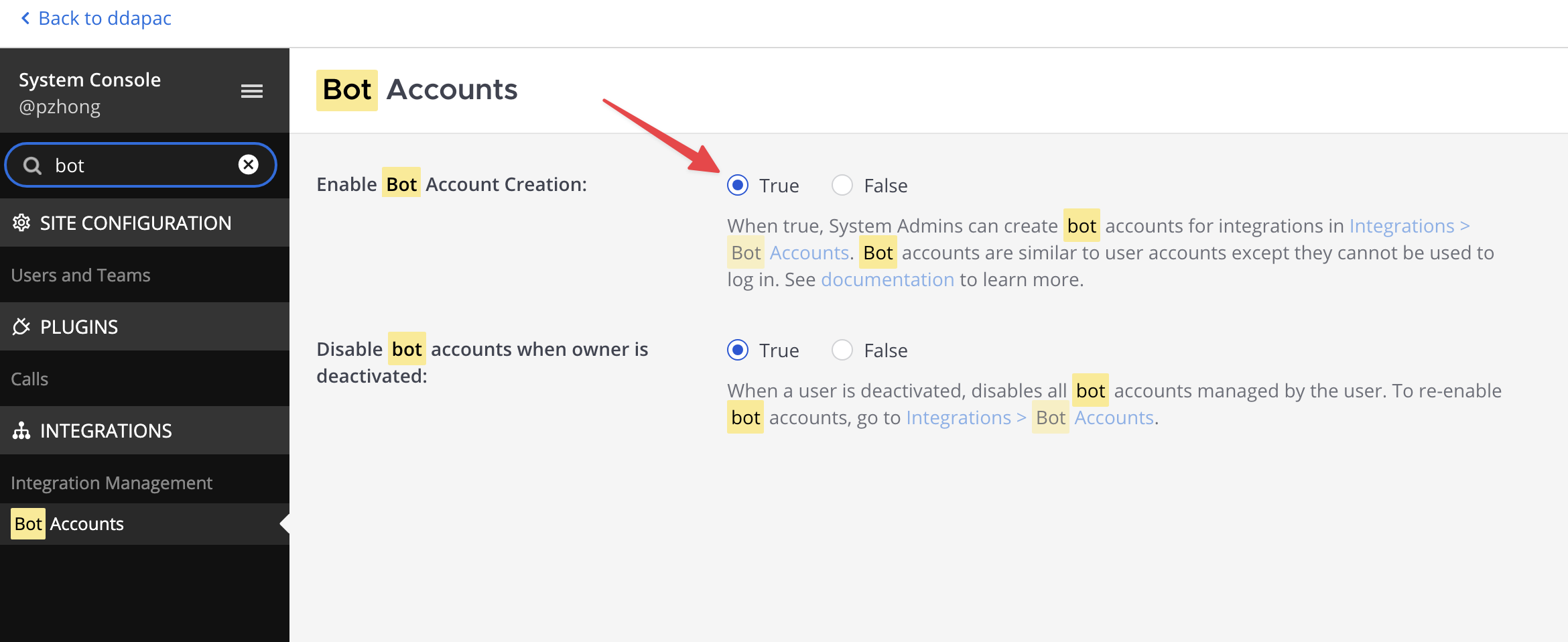
首先去 System Console > Integrations > Bot Accounts 开启创建机器人。
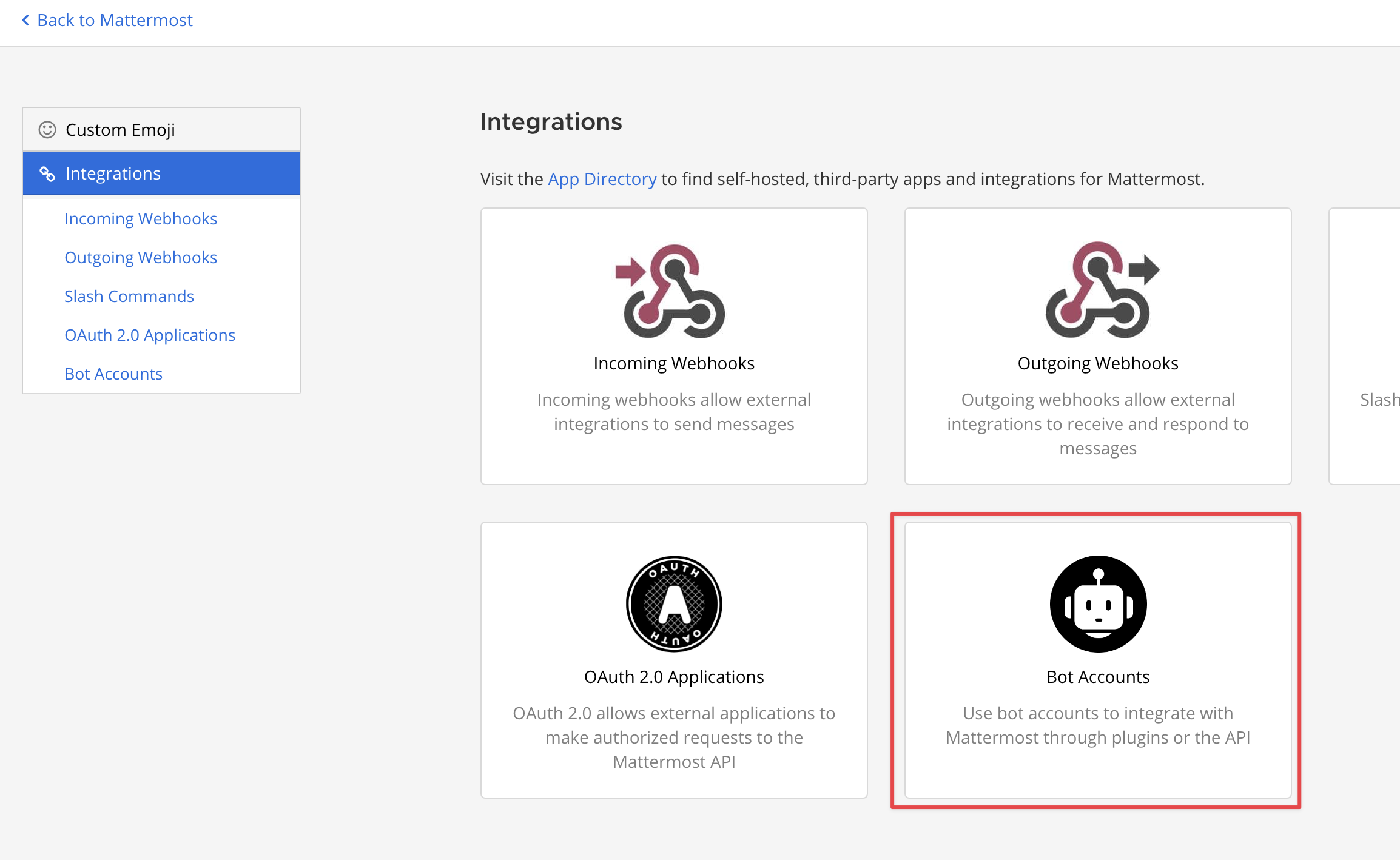
然后去 Integration > Bot Accounts 下面创建机器人。
就会生成一个机器人的 Token。
回到一个 Team,添加这个机器人。
发送消息
用下面的代码,就可以往一个 Channel 发消息,或者回复消息了。
import httpx
# 假设 settings 是你的配置对象
# from config import settings

async def send_mattermost_reply(channel_id: str, message: str, root_id: str = "", props: dict = None, token: str = None):
    """
    Send a message proactively using Mattermost REST API (/api/v4/posts).
    """
    if not settings.mattermost_url:
        print("Warning: mattermost_url not configured, cannot send reply.")
        return {}

    url = f"{settings.mattermost_url.rstrip('/')}/api/v4/posts"
    headers = {
        "Authorization": f"Bearer {token}"
    }
    payload = {
        "channel_id": channel_id,
        "message": message,
    }
    if root_id:
        payload["root_id"] = root_id
    if props:
        payload["props"] = props

    async with httpx.AsyncClient(trust_env=False) as client:
        try:
            response = await client.post(url, headers=headers, json=payload)
            response.raise_for_status()
            return response.json()
        except httpx.HTTPError as e:
            print(f"Error sending reply to Mattermost: {e}")
            return {}
接收消息 (Outgoing Webhook)
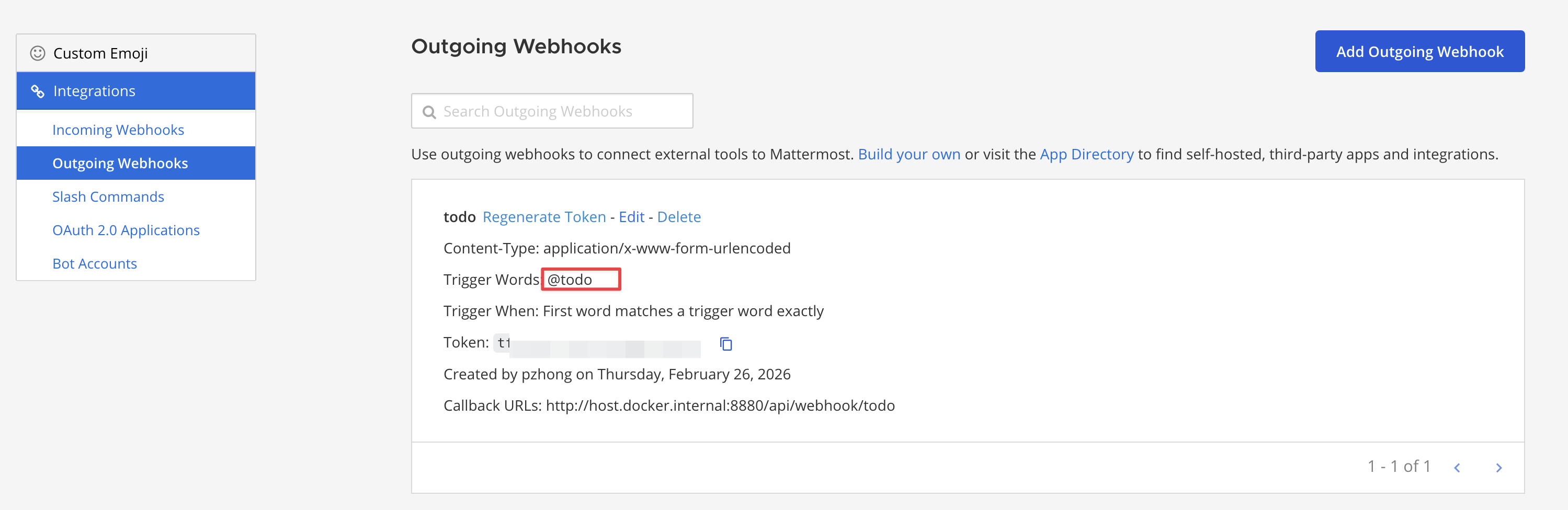
再添加一个 Outgoing Webhook, 当 @ 这个机器人的时候,或者输入特定的触发词(Trigger Word)时,Mattermost 就会向你的服务发送 POST 请求。
下面是一个例子,展示当 @ 机器人的时候,调用这个 API,然后再通过上面的机器人,回复这个消息。
from fastapi import APIRouter, Request, HTTPException
import asyncio

router = APIRouter()

# 辅助函数:验证 Token (需要自行实现)
# def verify_token(token, expected_token): ...
# 辅助函数:获取帖子详情 (需要自行实现)
# async def get_post_details(post_id): ...

@router.post("/webhook/todo")
async def mattermost_webhook(request: Request):
    """
    Endpoint for Mattermost outgoing webhook.
    Expects form data with fields: channel_id, channel_name, team_id, team_domain,
    post_id, text, timestamp, user_id, user_name, trigger_word, token
    """
    form_data = await request.form()
    data = dict(form_data)

    # Log the received data for debugging
    print(f"Received webhook data: {data}")

    # Verify token if configured
    token = data.get("token")
    if settings.mattermost_webhook_token_todo and not verify_token(token, settings.mattermost_webhook_token_todo):
        raise HTTPException(status_code=401, detail="Invalid token")

    post_id = data.get("post_id")
    root_id = ""

    if post_id:
        post_detail = await get_post_details(post_id)
        if post_detail:
            root_id = post_detail.get("root_id", "")
            print(f"Fetched post details for post_id={post_id}: root_id='{root_id}'")

    session_id = root_id if root_id else post_id
    print(f"Using session_id for threading: {session_id}")

    # Parse the text to find the todo command
    text = data.get("text", "").strip()
    trigger_word = data.get("trigger_word", "")
    if trigger_word and text.startswith(trigger_word):
        text = text[len(trigger_word):].strip()

    tokens = text.split(" ", 1)
    if not tokens or not tokens[0]:
        command = "add"
        args_list = []
    else:
        first_word = tokens[0].lower()
        if first_word in ("add", "done", "list", "delete"):
            command = first_word
            args_list = [tokens[1]] if len(tokens) > 1 else []
        else:
            command = "add"
            args_list = [text]

    cmd = ["todo", command] + args_list
    print(f"Executing command: {cmd}")

    # Execute the command without blocking
    try:
        process = await asyncio.create_subprocess_exec(
            *cmd,
            stdout=asyncio.subprocess.PIPE,
            stderr=asyncio.subprocess.PIPE
        )
        stdout_data, stderr_data = await asyncio.wait_for(process.communicate(), timeout=30.0)

        output = stdout_data.decode().strip()
        err_output = stderr_data.decode().strip()

        if process.returncode == 0:
            result_text = output if output else f"Command `{command}` executed successfully."
        else:
            result_text = f"Error executing `{command}`:\n{err_output or output}"

    except asyncio.TimeoutError:
        result_text = f"Command `{command}` execution timed out."
    except FileNotFoundError:
        result_text = "Command `todo` not found. Please ensure it is installed and in the PATH."
    except Exception as e:
        result_text = f"Failed to execute command: {e}"

    # Send the reply proactively using the API
    await send_mattermost_reply(
        channel_id=data.get("channel_id"),
        message=result_text,
        root_id=session_id,
        token=settings.mattermost_bot_token_todo
    )